How to Update Your Name on Krystal Identity

If you need to change the name on your Krystal account, you can do this quickly through Krystal Identity. Your updated name will apply across all Krystal services straight away.
Steps
- Log in to Krystal Identity at https://identity.krystal.io/.
- Under About Me in the left-hand menu, click Details. You can also go directly to https://identity.krystal.io/details.
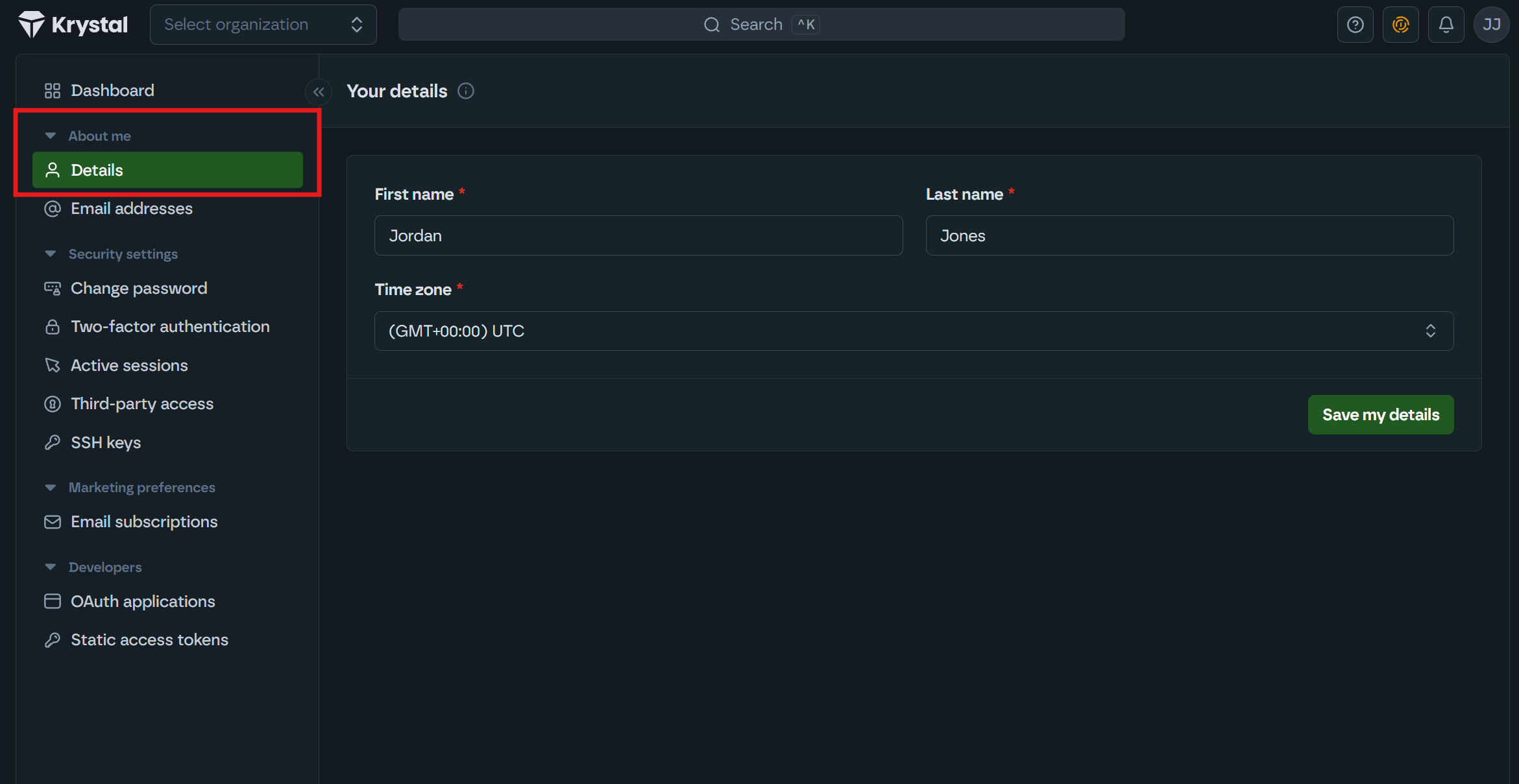
- Update your name and click Save my details.
- You'll see a confirmation message at the bottom of the page: "Your details have been updated successfully."
Things to note
- Your name change will apply across all Krystal services immediately.
