Intelligent Protection by Patchstack

- How It Works
- Why It Matters
- How do I get Intelligent protection?
- Frequently Asked Questions (FAQ)
- How is this different from a standard security plugin or a generic Web Application Firewall (WAF)?
- What is Virtual Patching?
- Will Intelligent Protection slow down my website?
- What types of threats does Intelligent Protection defend against?
- If Intelligent Protection applies a virtual patch, do I still need to update my plugins?
- Which hosting plans include Intelligent Protection?
- Can I use this for client sites if I manage multiple websites?
Intelligent Protection is a security system built specifically for WordPress, powered by Patchstack. It protects sites against vulnerabilities in plugins, themes, and WordPress core. Rather than scanning for malware after something goes wrong, it blocks known exploits before they can run.
How It Works
Patchstack constantly monitors newly disclosed vulnerabilities across the WordPress ecosystem and checks these against the plugins and themes installed on your site. When it spots a vulnerable component, it automatically applies a virtual patch to block the specific exploit attackers use. This protection stays in place until the affected plugin or theme is updated.
Why It Matters
Server-level defences protect the platform itself, but most real attacks target plugin or theme code inside WordPress. Patchstack focuses on that layer, adding precise, vulnerability-specific protection that generic firewalls often miss. It runs quietly in the background, blocking threats in real time with minimal performance impact.
How do I get Intelligent protection?
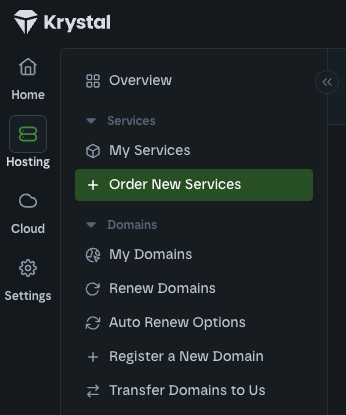
- Log in to your client area and click Order New Services in the left-hand menu.
- Choose Patchstack Intelligent Protection

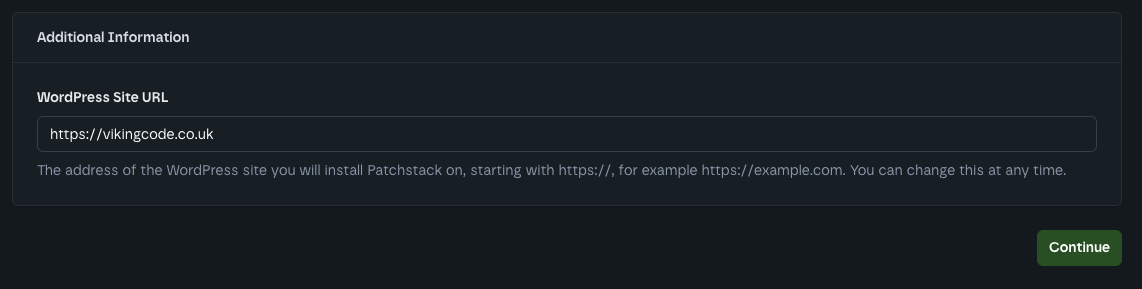
- Enter your WordPress website address in the correct format 'https://mywebsite.com' and click 'Continue'
- Proceed through the checkout and complete your order
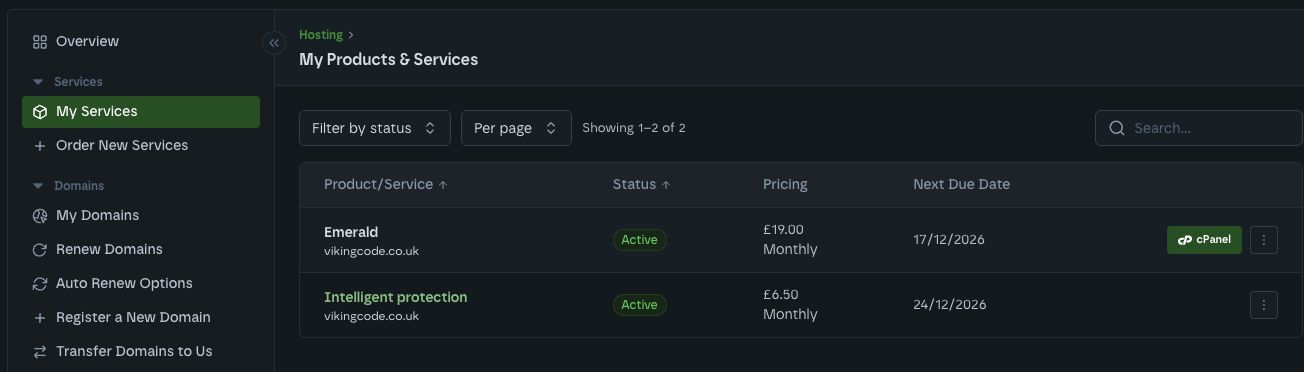
- Once payment has been made, head to My Services and click Intelligent protection
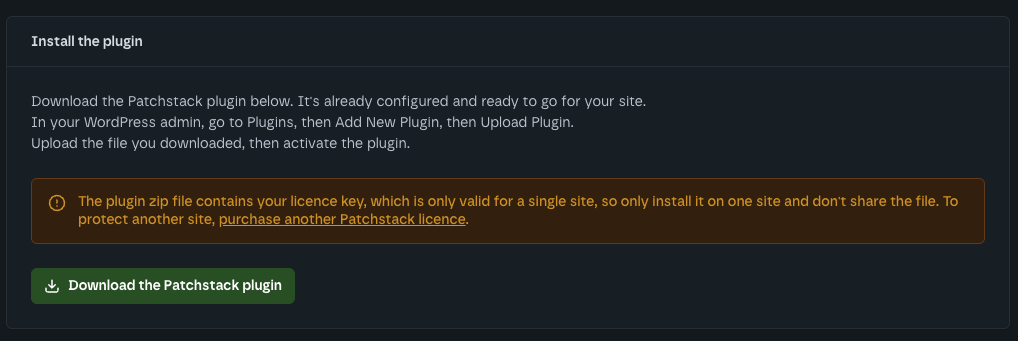
- Download your licenced Patchstack plugin and then head over to your WordPress admin area.
- Click Plugins, then Add Plugin, and choose Upload Plugin. Select the plugin file you previously downloaded and choose Install Now, then Activate Plugin
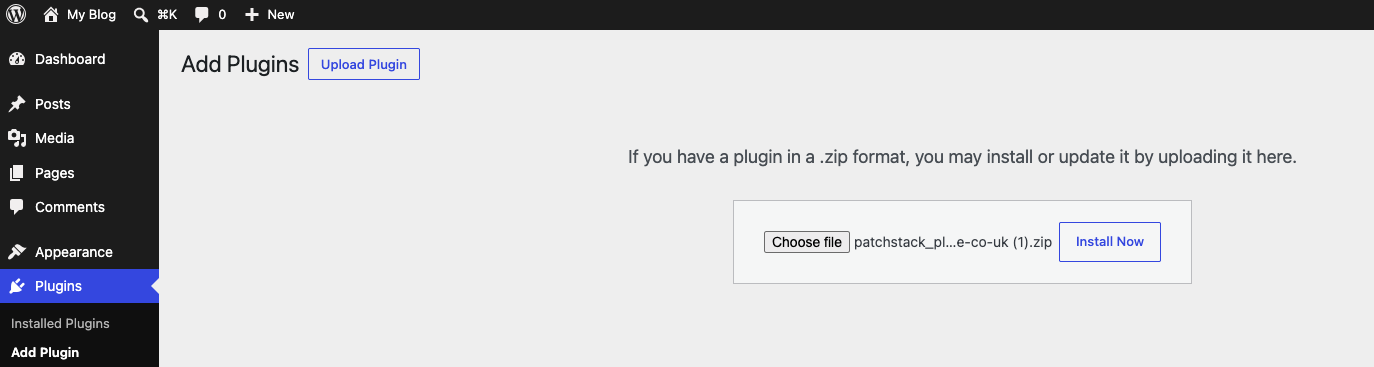
- Your installation has now been completed successfully.
You can head back to the client area, select My Services and click Intelligent Protection
The website will now display connected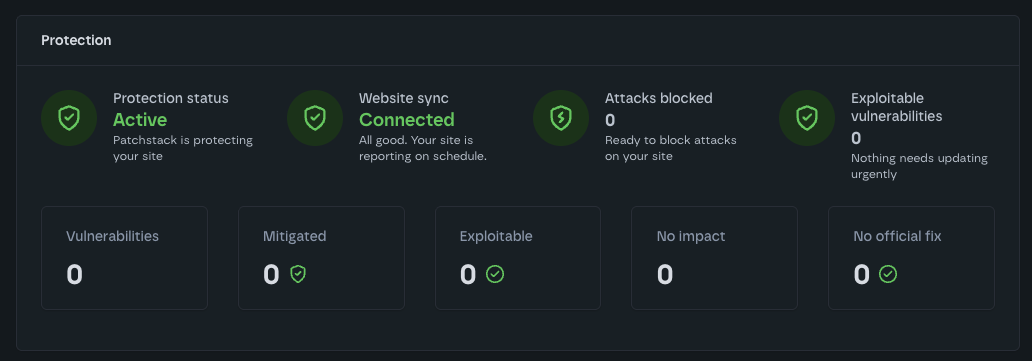
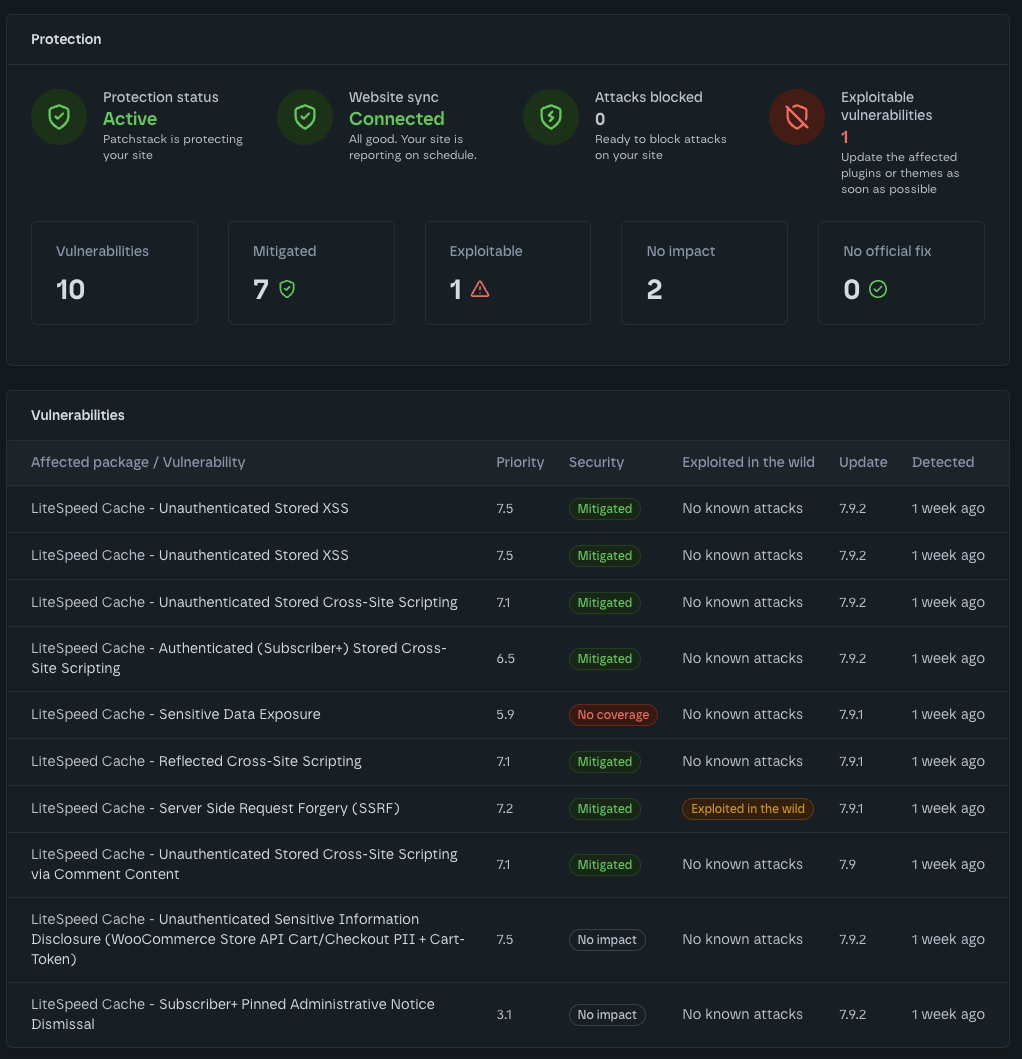
Any detected and mitigated vulnerabilities will be shown as below – make sure to regularly check to see if any plugins or themes require updates.
Frequently Asked Questions (FAQ)
How is this different from a standard security plugin or a generic Web Application Firewall (WAF)?
Most security tools are reactive, cleaning up malware after an attack, or rely on broad firewall rules. Intelligent Protection is preventative and highly targeted. It uses automatic virtual patching to create specific rules that block the exact exploit signature associated with a known vulnerability. This happens instantly, removing the dangerous delay between a vulnerability being found and the developer releasing an official fix.
What is Virtual Patching?
Virtual patching is the core technology behind Intelligent Protection. It’s a security layer that blocks exploitation of known flaws without modifying your site’s code or files. It intercepts and filters malicious traffic targeting the vulnerability, closing the security hole immediately while you plan your official updates.
Will Intelligent Protection slow down my website?
No. It’s designed to be lightweight and non-intrusive. The system works quietly at the request level, blocking only known attack patterns without affecting normal site traffic or performance.
What types of threats does Intelligent Protection defend against?
It provides advanced protection against the most common and damaging attack types, including:
- Exploits targeting vulnerabilities in outdated plugins, themes, or WordPress core
- Web application attacks such as SQL Injection and Cross-Site Scripting (XSS)
- Brute-force login attempts
- Access attempts from known malicious IP ranges
If Intelligent Protection applies a virtual patch, do I still need to update my plugins?
Yes. Virtual patching is a temporary shield that removes immediate risk but doesn’t replace proper updates. Once a developer releases a fix, you should still apply it as soon as possible. Intelligent Protection simply gives you time and control to update safely.
Which hosting plans include Intelligent Protection?
Intelligent Protection is included with all Managed WordPress plans free of charge or as an add-on to any other hosting plan at £6.50 per month.
Can I use this for client sites if I manage multiple websites?
Yes. Intelligent Protection is built to scale, letting you roll out consistent, proactive security across every site you manage. Whether you run one site or fifty, each will have the same robust protection and peace of mind.
