How to cancel your cPanel hosting package

If you no longer need your cPanel hosting with us, you can request cancellation from your Krystal client area. This guide walks you through how to do that, along with what to check before you submit your request.
Before you cancel
Make sure you've backed up anything you want to keep, including your websites, emails, and databases. Once your cancellation is processed, your data will be permanently deleted, so please download or migrate everything you need before submitting the cancellation request.
Please also note that domain renewals are managed separately from your cPanel hosting. Cancelling your hosting will not cancel any domains you have registered with us. If you'd like to cancel a domain too, please follow our guide on managing domain renewal.
How to cancel
- Log in to the Krystal client area.
- Click on My Services to view your cPanel hosting packages.

- Find the package you'd like to cancel, click the three-dot icon on its row, and select View Details from the dropdown.

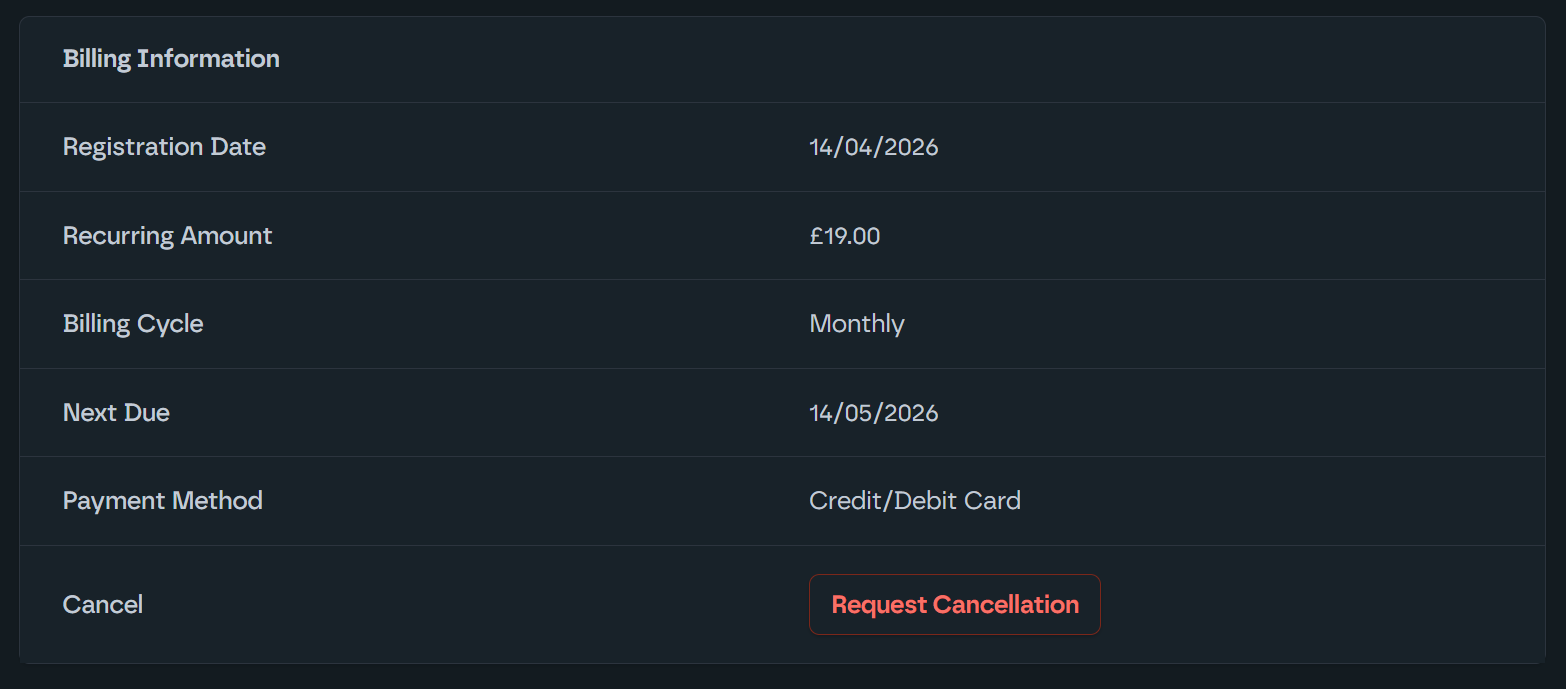
- Scroll down to the Billing Information section and click Request Cancellation.
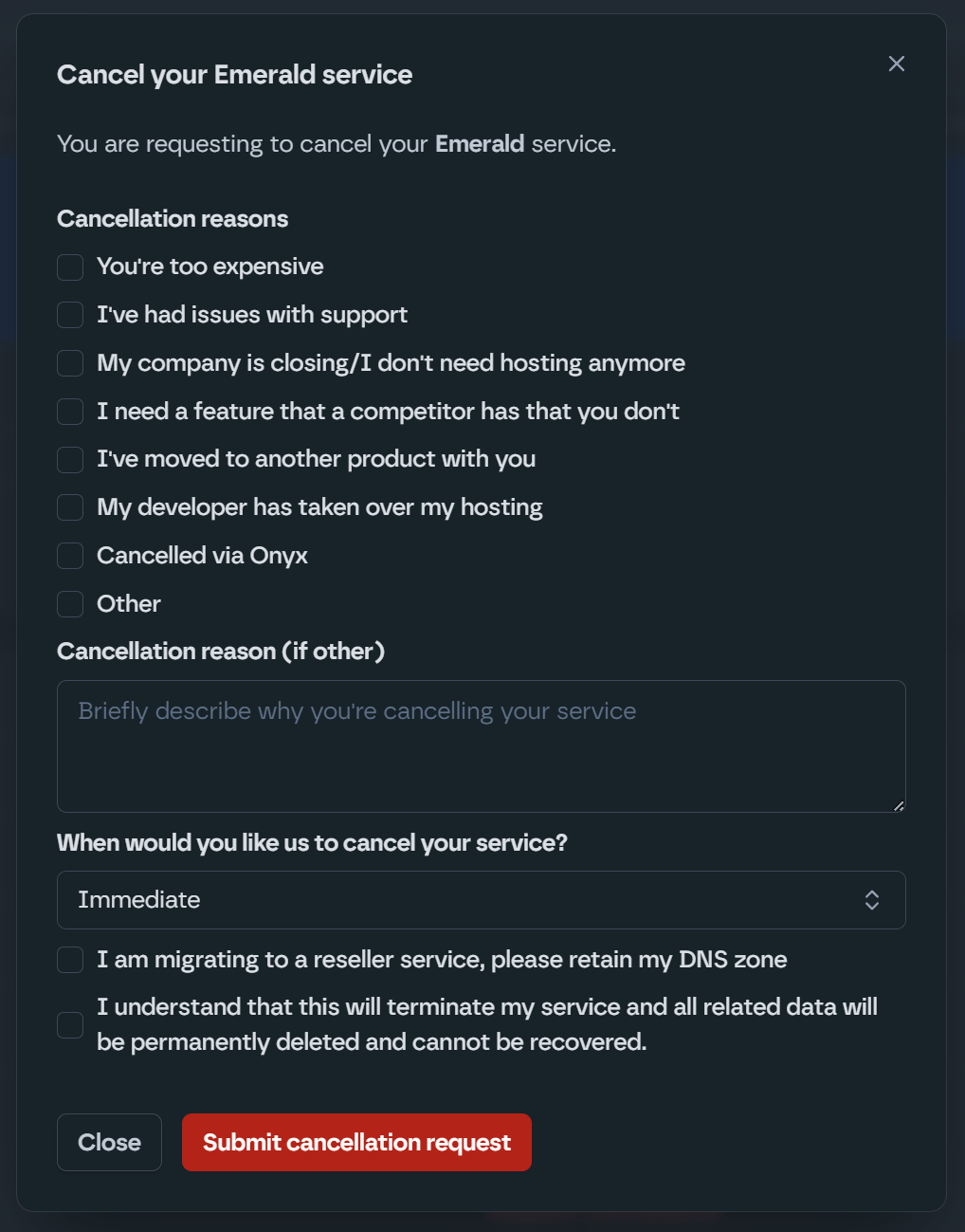
- Fill in the required details:
- Enter your Krystal client area password.
- Let us know why you're cancelling (we'd really appreciate the feedback).
- Choose when you'd like the cancellation to take effect, either immediately or at the end of your billing period.
- Tick the confirmation checkbox and click Submit cancellation request.
You won't see an on-screen confirmation, but we'll send you an email confirming your cancellation request has been received.
If you can't log in
If you're having trouble accessing your client area, please see our 2FA recovery guide for help regaining access before you try to cancel.
Changed your mind?
If you've changed your mind and would like to stay with us, please get in touch as soon as possible.
We process cancellations automatically and your data (websites and emails) is deleted when this happens. If you selected immediate cancellation, your data will be scheduled for deletion within a few hours of submitting your request.
If you reach us before the cancellation has been processed, we may be able to halt it. If it has already been processed, we'll do our best to restore from the most recent backup, but you may lose any data created between that backup and when you cancelled.
Things to note
- You won't see an on-screen confirmation after submitting a cancellation request. Your confirmation will arrive by email.
- If you cancel immediately, your data will be scheduled for deletion within a few hours.
- If you cancel at the end of your billing period, your service will continue as normal until that date.
- Any domains registered with us will continue to renew unless cancelled separately. See our guide on managing domain renewal.
- If you're on an Onyx managed WordPress plan rather than cPanel hosting, please follow our guide on cancelling Onyx hosting instead.
